← Back to catalogue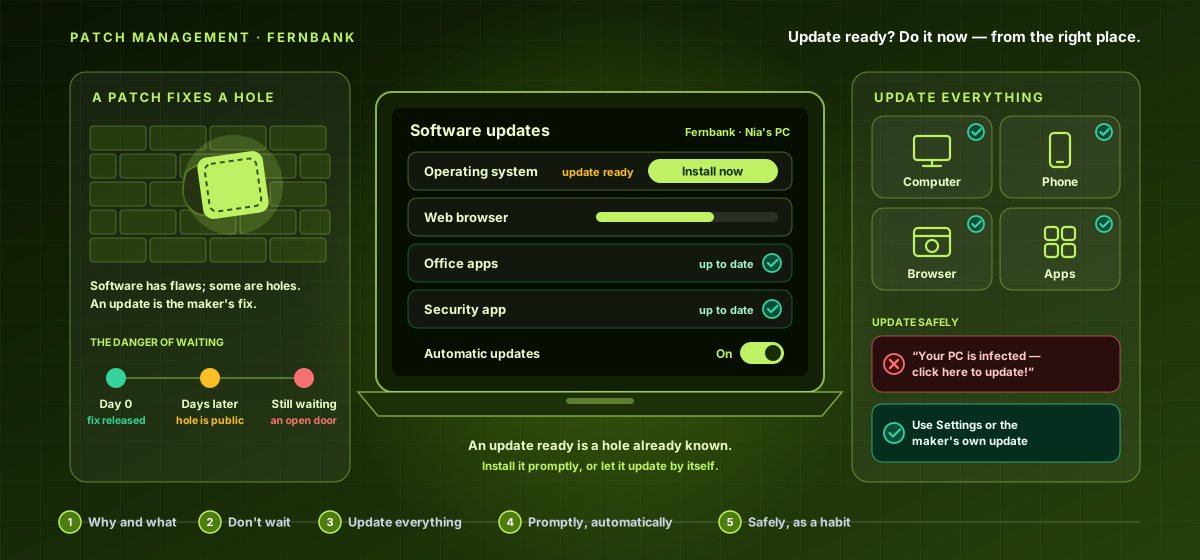
CY-BEGINNER-012Beginner · Patch Management
Patch Management — Keeping Your Software Up to Date
A gentle, plain-language guide to keeping your software up to date — why those 'update available' messages matter, and the simple habit that closes the holes attackers rely on: turn on automatic updates, deal with prompts promptly, get updates from the right place, and keep everything fresh.
11 hours8 chapters32 lessons225 activities8 labs
What you'll learn
- Understand why updates matter — all software has flaws, some are security holes, and updates fix them — and that a patch only protects you once fully installed.
- Grasp the danger of waiting (a released fix becomes a known target; old unsupported software is a permanent hole) and update everything that runs software, not just the computer.
- Update promptly, beating the 'later becomes never' trap, and turn on automatic updates as the single most effective habit for staying patched.
- Update safely by getting updates from the right place and spotting fake-update scams — and carry the whole course as one simple, lasting habit that protects everyone you're connected to.
Price:৳5,000
Sign in to get accessSign in to enrol — you can pay by bKash or Nagad, or apply a promo code.