← Back to catalogue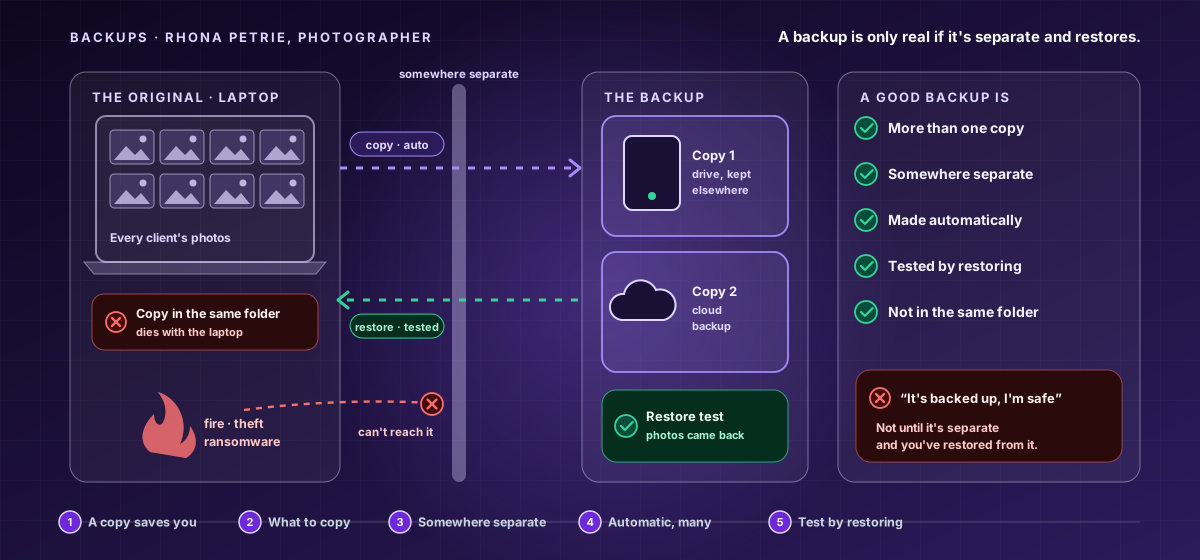
CY-BEGINNER-097Beginner · Disaster Recovery
The Safety Copy — Backups That Actually Save You
The single most useful thing you can do to survive a data disaster is keep a safety copy of what matters. But a copy in the same place dies with the original, one copy can fail, a manual one gets forgotten, and an untested one may not work. A real backup is kept somewhere separate, made automatically, and tested by actually restoring.
11 hours8 chapters32 lessons225 activities8 labs
What you'll learn
- See a safety copy as the single most useful protection — and back up the things you couldn't bear to lose.
- Keep the copy somewhere separate (safe from fire, theft, and ransomware), and keep more than one.
- Make backups automatic so they don't depend on your memory, and test them by actually restoring.
- See through the traps of 'I'll back it up later' and 'it's backed up, so I'm safe'.
Price:৳5,000
Sign in to get accessSign in to enrol — you can pay by bKash or Nagad, or apply a promo code.