← Back to catalogue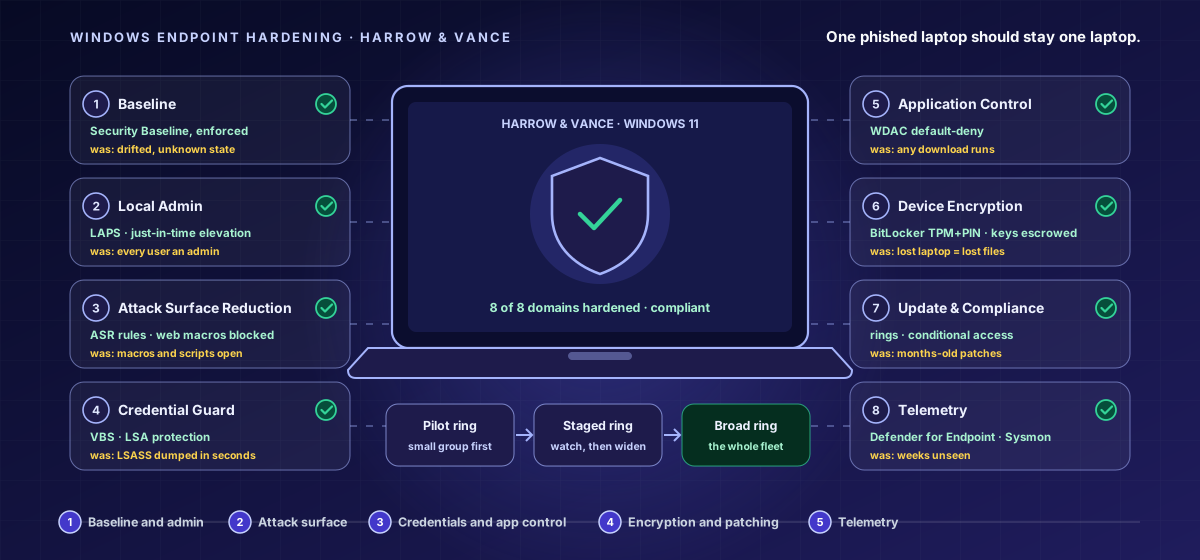
CY-MID-103Mid Level · Windows Endpoint Hardening
Windows Endpoint Hardening — The Workstation Board
A hands-on mid-level course that hardens the Windows 11 laptop fleet a real organization issues to its people, working the eight domains of the workstation board - Baseline, Local Admin, Attack Surface Reduction, Credential Guard, Application Control, Device Encryption, Update & Compliance, and Telemetry - through real Intune configuration profiles, LAPS, ASR rules, Credential Guard, WDAC, BitLocker, update rings, and Defender for Endpoint onboarding, so one unmanaged laptop never becomes a firm-wide incident. Four hands-on activities in every lesson.
15 hours8 chapters32 lessons225 activities8 labs
What you'll learn
- Apply and enforce a hardened Windows 11 baseline through Intune and catch drift before it accumulates.
- Remove standing local admin rights and replace them with LAPS and just-in-time elevation.
- Close common attack-surface paths with ASR rules, macro controls, script restrictions, and legacy protocol removal.
- Isolate credentials with Credential Guard, encrypt every drive with BitLocker, and gate access on device compliance.
Price:৳8,000
Sign in to get accessSign in to enrol — you can pay by bKash or Nagad, or apply a promo code.